Guys I have a problem. I’m using Fusion 360 and Mach4. The X and Y axes in Mach4 are shifted relative to the Fusion drawing. So, the milling result is offset by 1-2 mm . Does anyone know how to fix this?
Check your setup → stock. There is an offset field that has a small default. If that is not the problem look at the model with the stock overlayed. Make sure that the model is in the correct position relative to your specified origin. There is also the possibility that you have some form of tool diameter compensation turned on.
Thank you Paul. The origin set to Selected Point which is a same as WCS. I have a center on my table to set 0 coordinates for each model with a Center Finder.. But, when I click on Go to Zero in Mach 4 after running G-Code sometimes it gives me an error somitimes not. Tool diameter…. If tool diameter is wrong Fusion will show that in simulation. I was thinking about the backlash in the leadscrew nuts. Yesterday I changed them and will try to cut another sample tomorrow. Im new to Mach4 and I dont know do I need to zerro X and Y when I load another G-Code or not.
Don’t use the center of your workpiece as an origin. Use the bottom/front/left corner. Essentially the same axis orientation that you design in when using Fusion.
Corbin
Here’s the problem… My part is oriented around the mounting center. This center is the zero point. I want to make sure the mounting points on all parts are the same. I just don’t know how else to do this in Fusion. You’re probably right… I’ll give it a try.
Share screen shots of your part and the setup; we can probably provide some more specific advice.
Email with the screenshots reterned back. A also cannot upload screenshots here…..


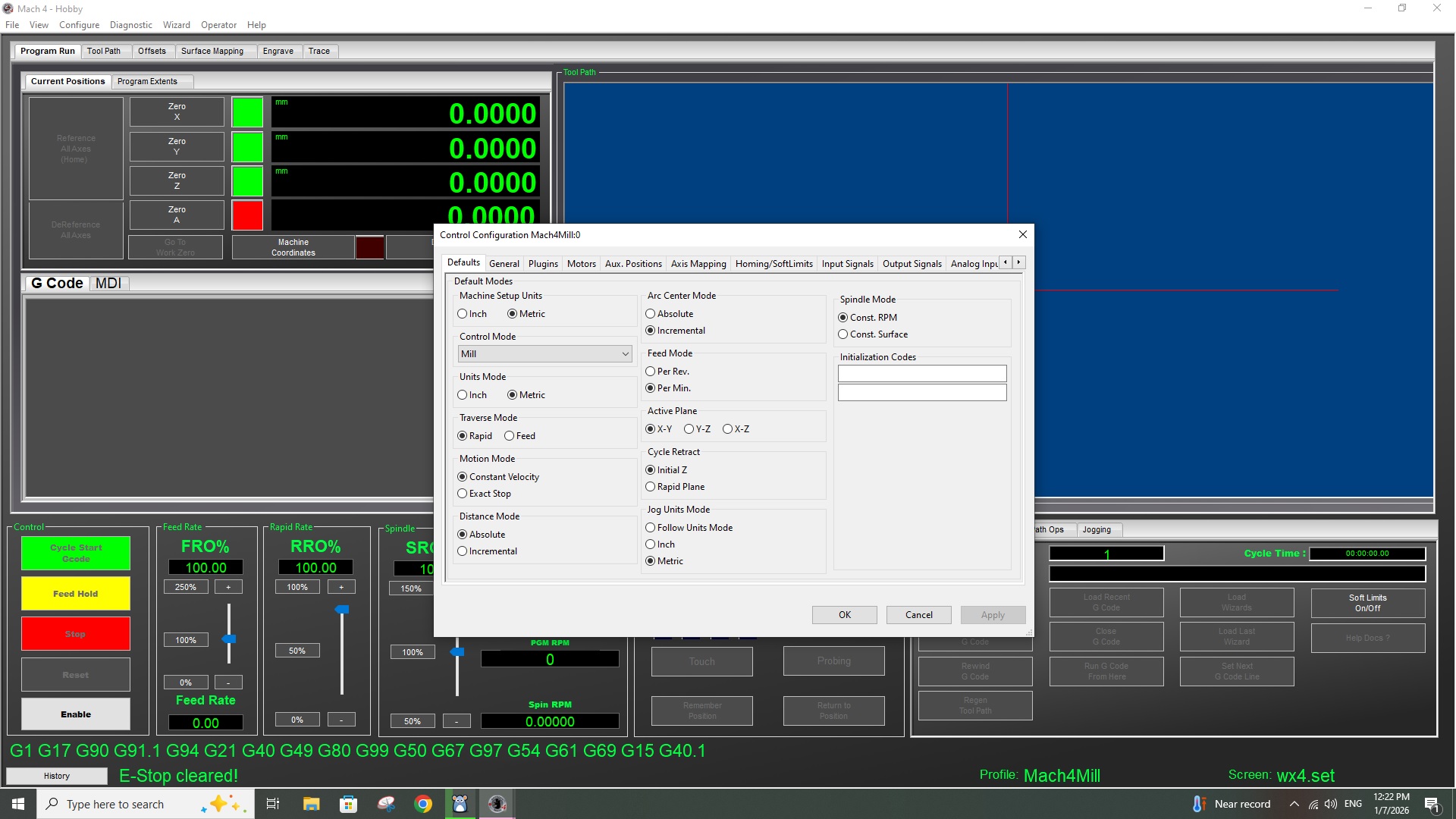

Are you certain that the center finder finds the center correctly?

I suppose that its a mechanical or electrical problem, not a software. I have to change all leadscrew nuts to exclude backlash errors. Unfortunately I have only one spare nut. I purchased a new nuts online and hopefully get them by the end of this month. Electrical issue can be the wrong microswitches settings on TB6600 motor drivers. I had such problem from the very beginning because the factory switch settings were wrong. I re-switched them to 32 microsteps and 6400 pulses per revolution and it started to work…. but may be 6400 is not enough and I need to find another motor drivers…..

What machine are you running? This doesn’t look like Avid’s version of Mach 4 for sure…
No, its not an Avid version of Mach4. Its a hobby version. I made machine and control unit myself. 
maybe turn on Exact Stop vs Constant Velocity? Add smoothing in Fusion for your toolpath to 0.001”.
I’ll try exact stop tomorrow. Today I changed X-axis nut and also used motor Counts per unit in Aux.Positions. I started a longest G-code and checked a zero positions after. Looks like X-axis error gone. Need to start it several times to make sure. I usually use smoothing in Fusion for curved surfaces. Not sure it will work for pocketing. I made another zero point in the low left corner and modified the program. It works good - thank you for advise!!!