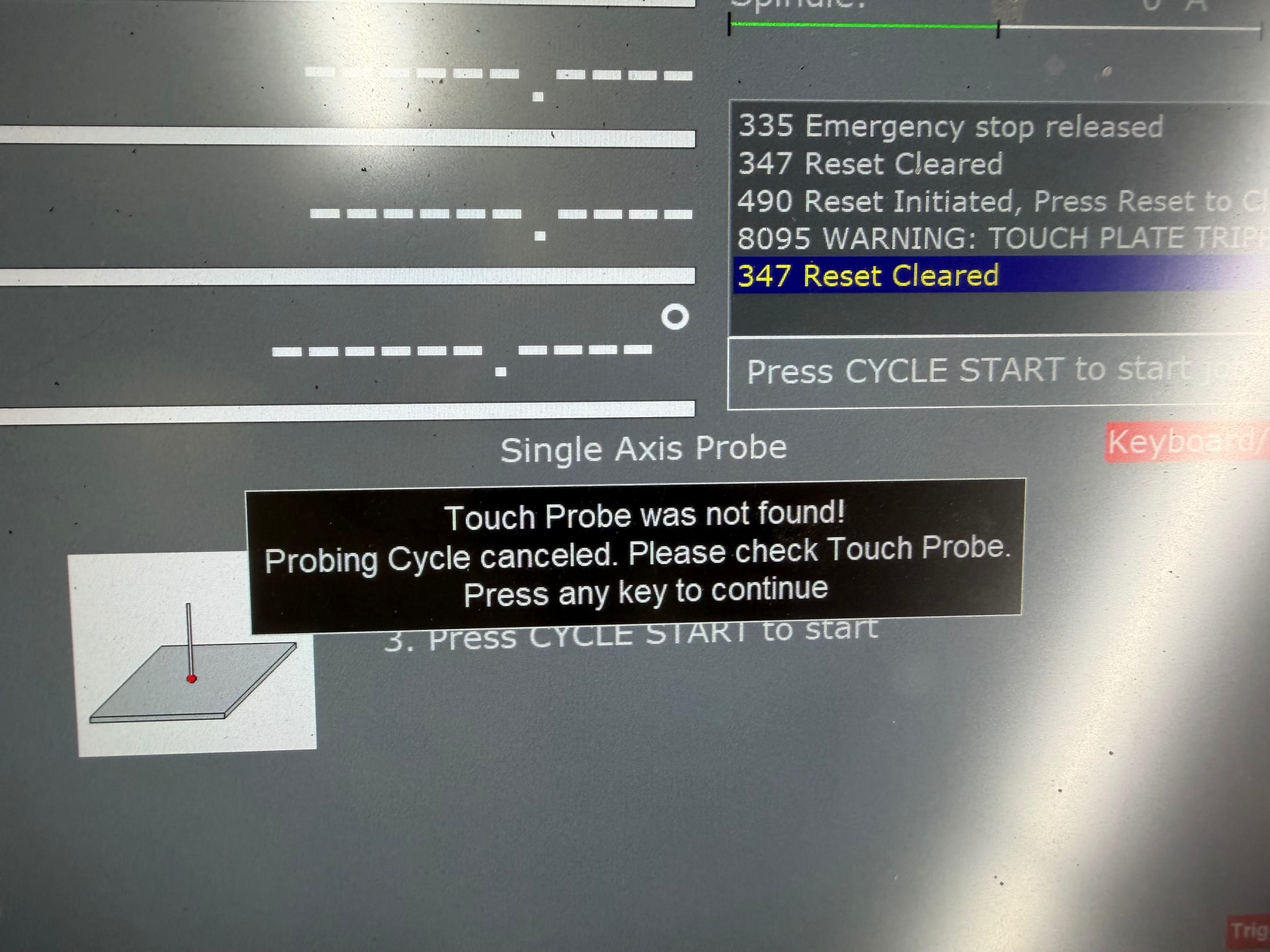
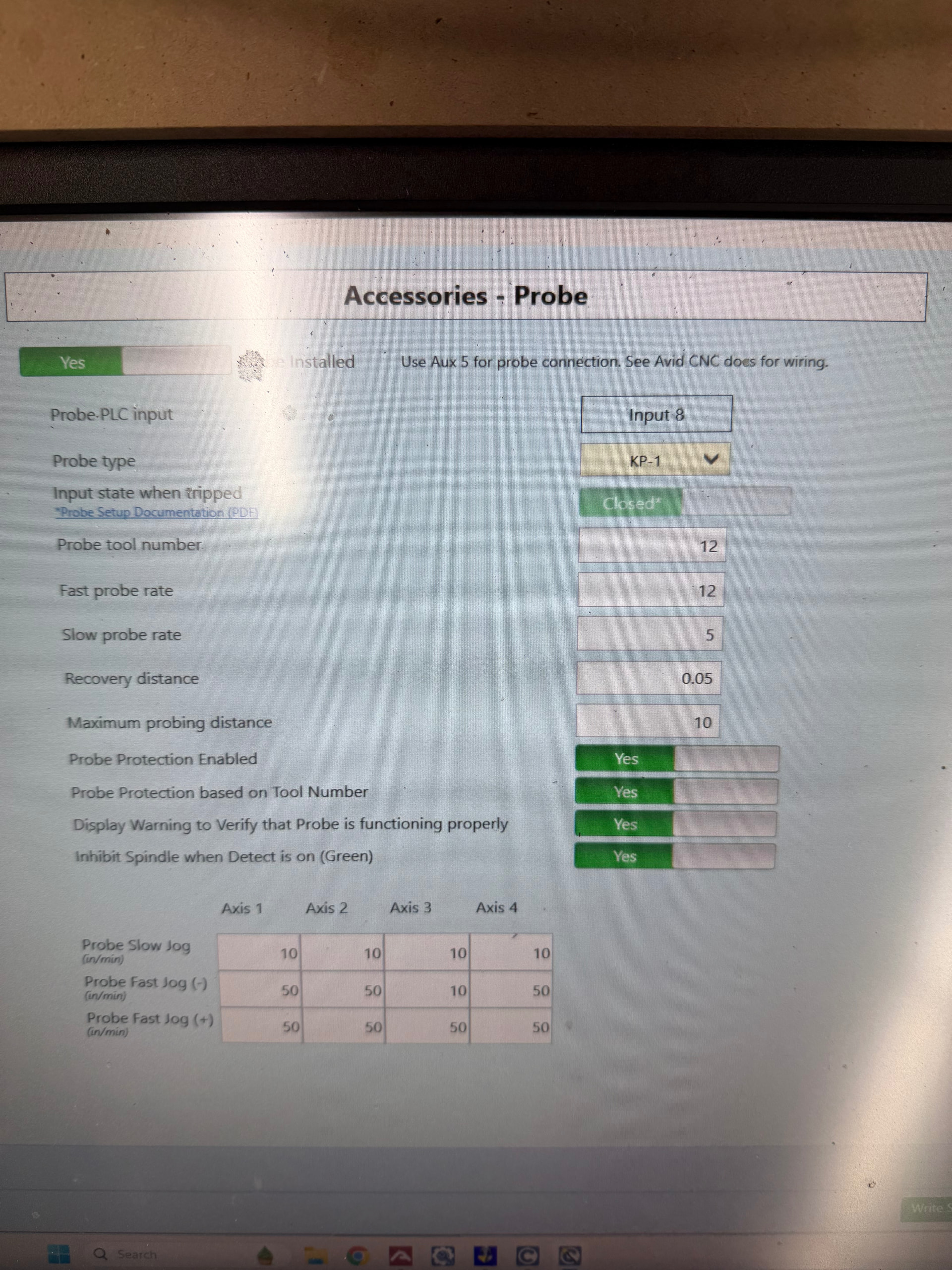
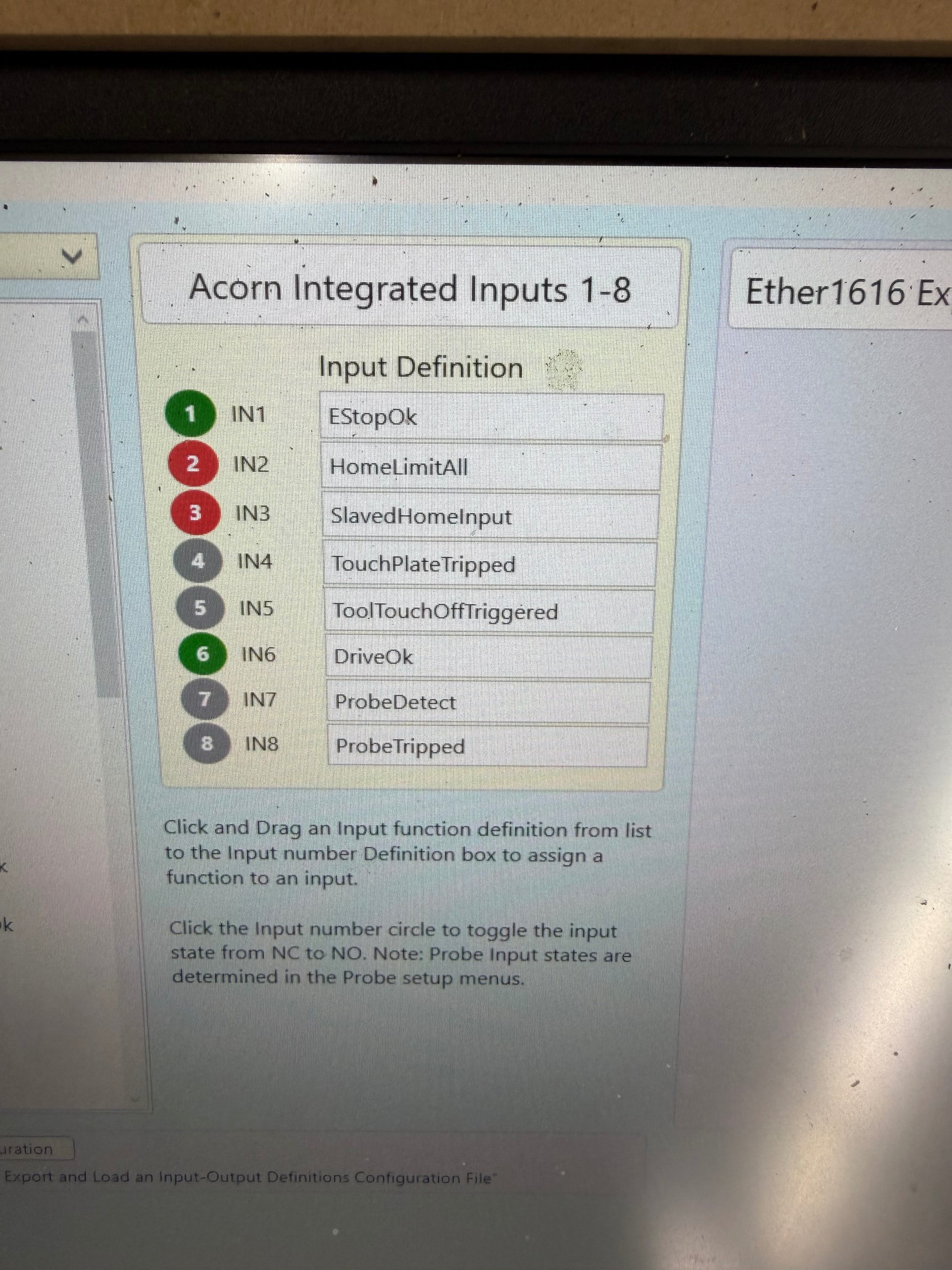
I’ve just purchased a KP-1 probe from Centroid and I’m trying to set it up (unsuccessfully, so far). It appears to be working correctly, illuminates green and red when tripped. I have gone over the wiring a few times and it looks in order, but when I try to run a probe, it states “Touch Probe not found”. Can anyone, kindly, help sort out my whatever my issue is? I’m almost certain I’ve done something dumb (as usual). Thanks so much, as always!
Input 7 is red , Output 7 is green, and 8 is green when the probe is left alone. When triggered, input 7 goes green, output 7 remains green, Input 8 remains green and Output 8 remains red.
Sounds like you have the wiring for input 7 and 8 reversed.
“Probe detect” is supposed to detect when the probe is plugged in, and “probe tripped” is only suppose to be lit up when you trigger the probe stylus.
What should be happening is that input 8 should be triggering when you touch that stylus. So you can either reverse your wiring or reveres the inputs in the Wizard… up to you.
Outputs have nothing to do with this has they are for the relays..
Pro tip for you: When you get into the probing menu do a few “air probes” where you’re just tripping the probe with your hand so you get a feel for the routines and how they work.
Another approach is to test probing something reasonably lightweight on the table that’s not held down.
After you do 2-3 probes like that you’ll get the hang of it.
I went through most of the probing options last night and got a good feel for it. I put the probe in the spindle and calibrated it using the ring and it all went well. Perhaps a probing video is on the cards for you? I sure would could use it! I intend to use it to replicate wood parts on old boats that I restore as a hobby by digitizing them. Thanks again!
This is very interesting. I bought a KP-1 probe when I bought the 4x4 Pro with EX control a year ago and it’s still sitting in a drawer since I had no idea of how to hook it up. The photos above are very helpful. I’m currently adding 2’ onto my machine and may do some wiring for the probe while the control enclosure is sitting on my bench. I second the idea of Eric doing one of his awesome videos on probing!