This weekend’s project was to get better at using the rotary axis for carvings, as I’ve had customers ask when that feature would be available to them. All I needed was a benchmark…
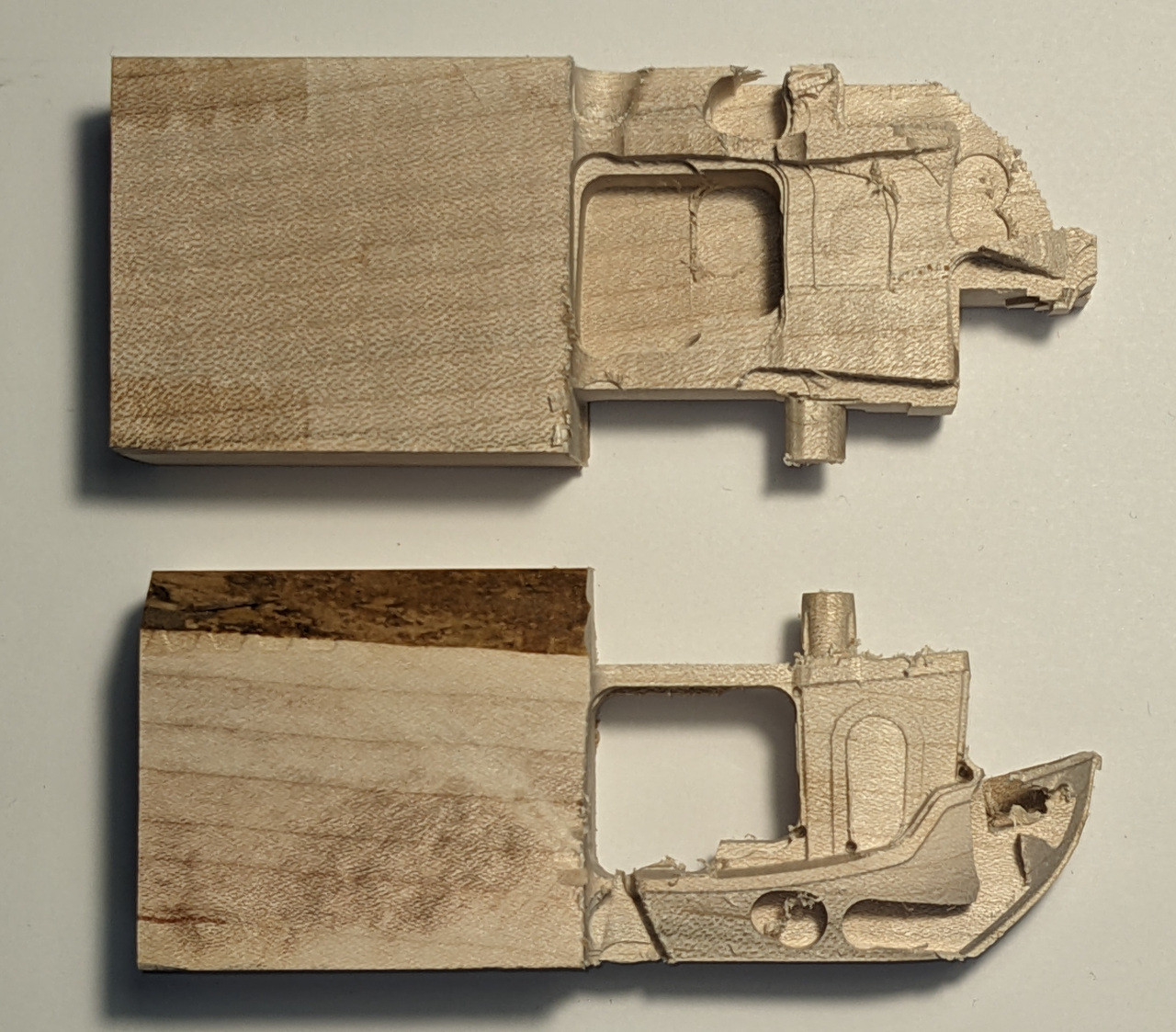
My operation plan was to use a 1/4” straight bit to rough out from each of 0, 180, 90, and then 270 degrees. Then use a 1/32” ball carving bit at every multiple of 45 degrees.
The top picture was my first attempt. The roughing at 0 and 180 went fine, but the 90 degree op made it obvious that I had wired the rotary motor backwards! Can you pick out the two smokestacks?
The second one went better, but that’s when I learned that there’s two ways of specifying angles, and the software and machine disagreed. So when the software asked to go from 90 to -90, the machine went from “90 degrees” to “90 degrees, counterclockwise”. I.e. it expected positive angles with the sign for direction  Net result, it didn’t move, and started roughing over the finished side. I fixed that and tried again, and it did some of the finishing pass before the collet nut hit the uncut wood on the left (it’s on the back side) and I had to stop it.
I also realized I had to recalibrate the rotary axis, so I did that. I might have time to do more tests today, but I thought I’d share my “results”, either as a lesson to others, or at least for a laugh.
So my challenge to you all who own rotaries: Figure out how to carve a benchy! I think doing so covers a lot of learning opportunities. Post your failures! (and your successes 
(Note: I use linuxcnc with custom electronics. If you’re using Avid’s turnkey setup, you probably won’t get to experience my problems